Quick Verdict: PS5 USB Storage vs. Internal M.2 Expansion
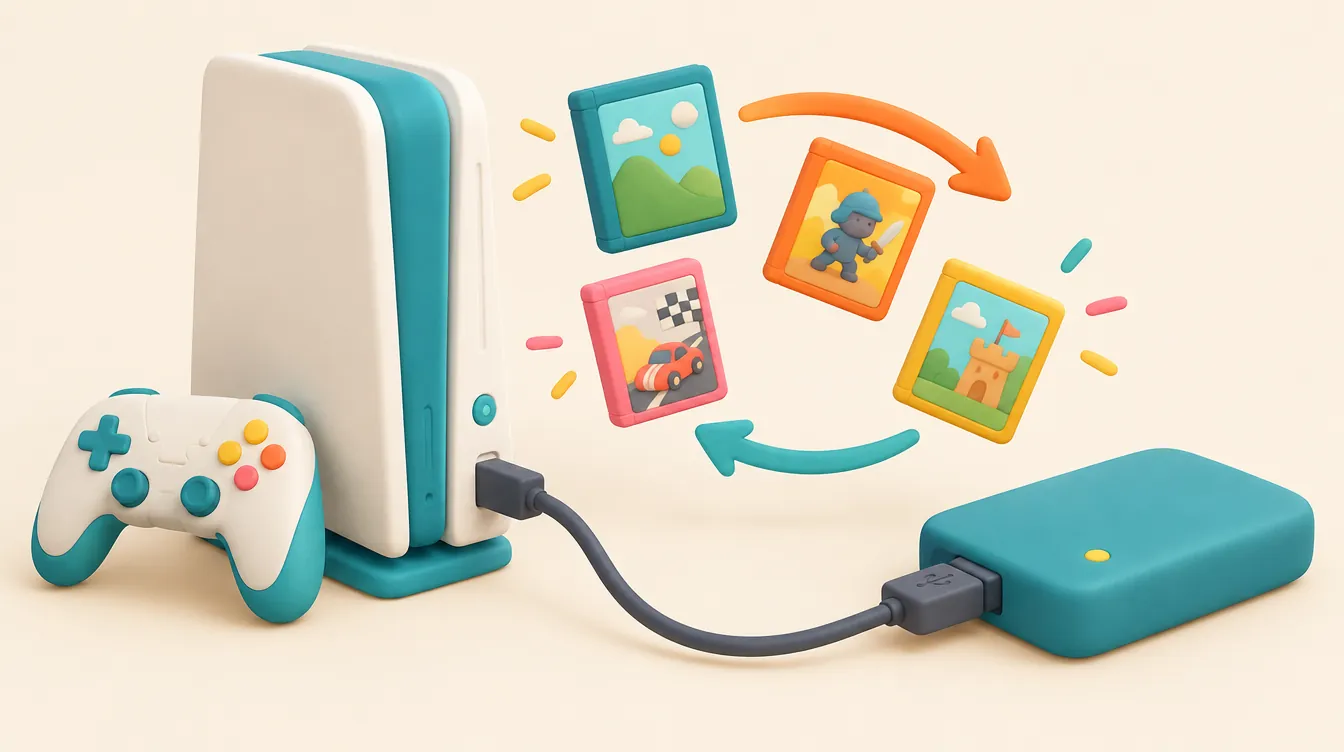
The Core Rule: You can store PS5 games on compatible PS5 USB storage to free up console space, but you cannot launch or play PS5 titles directly from a USB drive. PS5 titles must be copied back to internal storage before playing. By contrast, PS4 games run directly from USB extended storage, and an internal PCIe Gen4 x4 M.2 NVMe SSD allows direct playback of both PS5 and PS4 titles.
- Top Pick (Direct PS5 Playback): WD_BLACK SN850P 2TB NVMe M.2 SSD (WDBBYV0020BNC-WRSN) — Officially licensed for PS5, 7,300 MB/s read spec, 9.89 mm total height with integrated heatsink.
- Runner-Up (Direct PS5 Playback): Samsung 990 PRO w/ Heatsink 2TB (MZ-V9P2T0CW) — 7,450 MB/s read spec, slim 8.2 mm heatsink profile, 1,200 TBW endurance rating.
- Top Pick (PS5 Archive & Direct PS4 Play): Samsung T7 Shield 2TB Portable USB SSD (MU-PE2T0S/AM) — 10 Gbps USB 3.2 Gen 2 interface, IP65 ruggedized shell, compact 98 g footprint.
- Who Should Buy USB Storage: Households with large PS4 backlogs to play directly, or solo players who prefer parking finished 100 GB+ PS5 games externally instead of re-downloading them over slow internet connections.
- Who Should Skip USB Storage: Multi-player households switching between several active PS5 titles in a single evening—buy a compliant PCIe Gen4 x4 M.2 SSD with a heatsink instead.
Top PS5 Storage Drives Compared (Internal M.2 & External USB)
| Product & Model Number | Storage Type & Interface | Key Hardware / Material Specs | Best Use Case | Retailer | Price / CTA |
|---|---|---|---|---|---|
WD_BLACK SN850P 2TB (WDBBYV0020BNC-WRSN) |
Internal PCIe Gen4 x4 NVMe M.2 2280 | Up to 7,300 MB/s read; 9.89 mm height w/ aluminum heatsink; 1,200 TBW | Direct PS5 & PS4 playback (no file transfers) | Amazon | Check Live Price on Amazon |
Samsung 990 PRO w/ Heatsink 2TB (MZ-V9P2T0CW) |
Internal PCIe Gen4 x4 NVMe M.2 2280 | Up to 7,450 MB/s read; 8.2 mm height w/ nickel-coated controller & heatsink; 1,200 TBW | Direct PS5 & PS4 playback with cooler thermal profile | Best Buy | $169.99 Target Deal ($264.99 MSRP) |
Crucial T500 w/ Heatsink 2TB (CT2000T500SSD5) |
Internal PCIe Gen4 x4 NVMe M.2 2280 | Up to 7,400 MB/s read; 9.7 mm height w/ aluminum heatsink; 1,200 TBW | Value-focused direct PS5 internal expansion | Amazon | Check Live Price on Amazon |
Samsung T7 Shield 2TB (MU-PE2T0S/AM) |
External USB 3.2 Gen 2 (10 Gbps) SSD | Up to 1,050 MB/s read; IP65 rubberized elastomer shell; 59 x 88 x 13 mm | Direct PS4 play & fast PS5 cold-storage transfers | B&H | $159.99 Target Deal ($289.99 MSRP) |
WD_BLACK P10 Game Drive 5TB (WDBA3A0050BBK-WESN) |
External USB 3.2 Gen 1 (5 Gbps) 5,400 RPM HDD | ~130 MB/s max sequential read; anodized metal top shell; 118 x 88 x 20.8 mm | Budget high-capacity PS5 archive & PS4 vault | Amazon | Check Live Price on Amazon |
Interactive Tool: PS5 Storage Compatibility & Playback Checker
Test any USB drive or M.2 SSD configuration against Sony's official PS5 hardware and playback specifications before buying or formatting your drive.
PS5 Storage Compatibility & Playback Checker
Select your drive specs and library mix to verify Sony hardware rules and direct-play eligibility.
Core PS5 USB Storage vs. M.2 SSD Rules
Before buying any drive for a PlayStation 5, you need to separate two distinct storage jobs: keeping games archived externally versus expanding the high-speed pool where PS5 games actually execute. According to PlayStation's official USB extended storage documentation, PS5 games stored on a USB drive must be copied back to console storage (or an installed internal M.2 SSD) before you can launch them. No external USB cable speed, SSD controller, or enclosure brand bypasses that software lock.
That restriction flips when you look at older software. PlayStation allows PS4 games stored on compatible USB extended storage to launch and run directly from the external drive on a PS5 console. Because PS4 titles were originally engineered around slower 5,400 RPM mechanical hard drives and 5 Gbps USB interfaces, Sony permits direct execution over USB without copying files back to the internal SSD. If half of your installed library consists of PS4 releases, offloading those titles to a USB drive immediately frees internal space for current-generation games without hurting convenience.
For direct PS5 playback, PlayStation's M.2 SSD installation guide requires installing a compatible internal PCIe Gen4 x4 M.2 NVMe SSD inside the console's expansion slot behind the side faceplate. Games downloaded or moved onto a compliant M.2 drive behave identically to games stored on the console's soldered internal flash: they boot directly, stream textures at native Gen4 bandwidth, and receive automatic background patches without manual file shuffling.
| Intended Job | Storage Route to Investigate | Mandatory Sony Compliance Check |
|---|---|---|
| Launch more installed PS5 games directly | Compatible internal M.2 SSD | PCIe Gen4 x4 NVMe, 250 GB–8 TB, 5,500 MB/s+ read recommended, heatsink required |
| Archive PS5 games off console storage | Compatible USB extended storage | Willingness to copy games back before playing; SuperSpeed USB 5 Gbps+ |
| Play installed PS4 games directly | Compatible USB extended storage | 250 GB–8 TB capacity; direct connection (no USB hubs) |
| Reuse an existing drive with personal files | Review backup state before formatting | Formatting for PS5 USB extended storage erases all prior partitions and data |
Sony enforces strict hardware boundaries on both routes. For USB extended storage, the drive must support SuperSpeed USB 5 Gbps or faster (USB 3.0, USB 3.1, or USB 3.2), hold between 250 GB and 8 TB of raw capacity, and plug directly into a supported SuperSpeed port rather than a multi-port USB hub. Although you can physically plug two USB drives into the console simultaneously, the PS5 firmware only mounts one USB extended storage volume at a time. Additionally, the front USB Type-A port on original launch-model PS5 consoles—and one of the two front USB Type-C ports on newer PS5 Slim and PS5 Pro revisions—operates at Hi-Speed USB 2.0 (480 Mbps) and will trigger an incompatibility error if used for game storage. Always connect external game drives to the rear 10 Gbps Type-A ports or the designated front 10 Gbps SuperSpeed USB-C port.
Internal M.2 expansion carries tighter dimensional and electrical rules. Sony specifies a PCI-Express Gen4 x4 M.2 NVMe SSD (Socket 3, Key M) between 250 GB and 8 TB, recommending a sequential read speed of at least 5,500 MB/s. Supported form factors cover 2230, 2242, 2260, 2280, and 22110 modules (22 mm wide, from 30 mm to 110 mm long). Critically, PlayStation requires an effective heat-dissipation structure—such as a dedicated heatsink and thermal interface pad—and caps total module dimensions at 25 mm wide and 11.25 mm thick (no more than 8.0 mm above the PCB and 2.45 mm below the PCB). M.2 SATA drives and older PCIe Gen3 NVMe drives are rejected by the console.
How We Evaluated Storage Options
Rather than benchmarking individual transfer durations or in-game loading frames—tests we did not run for this guide—we evaluated current internal M.2 SSDs and external USB drives against three concrete buyer filters: official Sony specification margins, thermal hardware completeness, and real-world cost per usable gigabyte. Any product that failed to publish full dimensional drawings, fell below Sony's 5,500 MB/s Gen4 read guidance, omitted a heatsink on an M.2 SKU, or relied on proprietary hub dongles was eliminated immediately.
For internal M.2 picks, we prioritized drives rated well above Sony's 5,500 MB/s threshold (targeting 7,000 MB/s+ sequential reads) that ship from the factory with a pre-installed heatsink sized comfortably inside the 25 mm width and 11.25 mm thickness ceiling. Buying a pre-heatsinked SKU eliminates thermal-pad alignment mistakes and ensures the PS5 M.2 slot cover screws down flush without bending the PCB. We also compared Total Bytes Written (TBW) endurance ratings—requiring at least 600 TBW per terabyte of capacity—alongside five-year manufacturer warranties.
For external PS5 USB storage picks, we evaluated interface bandwidth (separating 10 Gbps USB 3.2 Gen 2 SSDs from 5 Gbps USB 3.2 Gen 1 mechanical hard drives), physical enclosure durability, and included dual-port cabling (USB-C and USB-A). Because PS5 games stored on USB must still be copied back to play, choosing between a portable SSD and a high-capacity HDD comes down to whether you value faster cold-storage transfers and brisk PS4 loading or raw terabytes per dollar. Check our PlayStation deals tracker alongside the shopping checklist before checkout so a steep discount on an external USB drive is never confused with equivalent internal expansion.
In-Depth Product Reviews
1. WD_BLACK SN850P 2TB NVMe SSD for PS5 (WDBBYV0020BNC-WRSN) — Top Pick for Direct PS5 Playback
The WD_BLACK SN850P (WDBBYV0020BNC-WRSN) is an officially licensed PlayStation 5 M.2 SSD built specifically to remove guesswork from internal expansion. Out of the box, the 2TB M.2 2280 module delivers rated sequential read speeds up to 7,300 MB/s and sequential write speeds up to 6,600 MB/s over a PCIe Gen4 x4 NVMe interface, clearing Sony's 5,500 MB/s recommendation by 1,800 MB/s. Its custom-molded aluminum heatsink measures 80 mm long by 24.46 mm wide by 9.89 mm thick, leaving more than 1.3 mm of vertical clearance below Sony's 11.25 mm bay limit while keeping the controller and NAND packages cooled under sustained writes.
In daily use, installing the SN850P adds roughly 1.86 TB of formatted usable space that operates seamlessly alongside the console's native storage. PS5 titles download directly to the drive, install patches without swapping files, and launch straight from the home screen. WD rates the 2TB model at 1,200 TBW endurance and backs it with a 5-year limited warranty—more than enough write capacity for years of rotating massive 150 GB live-service installations.
The main trade-off is price-to-branding efficiency. Because the SN850P carries official PlayStation licensing on the heatsink shroud, it frequently sells at a modest premium over mechanically similar unbranded Gen4 drives—including WD's own non-licensed SN850X with Heatsink. You are paying extra for guaranteed fitment assurance rather than superior raw flash silicon, so bargain hunters willing to check millimeter dimensions can often save money elsewhere.
2. Samsung 990 PRO w/ Heatsink 2TB (MZ-V9P2T0CW) — Runner-Up for Direct PS5 Playback
If you want maximum controller efficiency and a sleeker thermal assembly, the Samsung 990 PRO with Heatsink (MZ-V9P2T0CW) matches or beats nearly every consumer Gen4 drive on specification sheets. Rated up to 7,450 MB/s sequential read and 6,900 MB/s sequential write, the 2TB M.2 2280 module uses Samsung's in-house nickel-coated Pascal controller paired with an ultra-slim aluminum heatsink. Total thickness measures just 8.2 mm (with a 24.3 mm width), giving it over 3 mm of spare vertical headroom inside the PS5 expansion bay so airflow moves freely around the cover.
Beyond raw throughput numbers, Samsung's thermal control design focuses on power efficiency per megabyte transferred, reducing heat soak inside the tightly enclosed PS5 chassis during multi-hour gaming sessions or back-to-back 100 GB downloads. The 2TB variant carries a 1,200 TBW endurance rating and a 5-year limited warranty, and its 2280 form factor drops into the standard standoff position without extra spacers.
Its notable downside is twofold: first, the integrated heatsink includes a subtle customizable RGB LED strip designed for windowed PCs, which adds zero functional value once sealed behind a solid PS5 side plate. Second, street pricing on the factory-heatsinked MZ-V9P2T0CW fluctuates sharply compared to bare 990 PRO units; at full $264.99 MSRP it is overpriced for console duty, making it a strong buy primarily when discounted near the $169.99 target deal mark.
3. Crucial T500 2TB PCIe Gen4 NVMe M.2 SSD with Heatsink (CT2000T500SSD5) — Best Value Internal Expansion
The Crucial T500 with Heatsink (CT2000T500SSD5) delivers flagship Gen4 specifications without PlayStation licensing markups. Built on 232-layer Micron TLC NAND and a Phison E25 controller, the 2TB drive reaches rated sequential read speeds up to 7,400 MB/s and sequential writes up to 7,000 MB/s. Crucial wraps the single-sided M.2 2280 board in a matte-black extruded aluminum heatsink measuring 24.2 mm wide and 9.7 mm thick—comfortably inside Sony's 25 mm x 11.25 mm dimensional envelope.
For budget-conscious PS5 owners who still refuse to compromise on direct PS5 game launching, the T500 hits a practical sweet spot. Like the SN850P and 990 PRO, the 2TB T500 carries a full 1,200 TBW endurance rating and a 5-year warranty, meaning you do not sacrifice flash longevity to trim cost. Because the PCB is single-sided with no rear NAND chips, bottom clearance inside the PS5 bay exceeds Sony's 2.45 mm requirement with room to spare.
The main caveat is Crucial's thermal mass under heavy sustained sequential writes: once the pseudo-SLC write cache fills during massive multi-game transfers (hundreds of gigabytes in a single sitting), sustained native TLC write speeds taper down more noticeably than on heavier dual-sided designs. For normal console downloads bottlenecked by home internet or PSN servers, however, you will rarely saturate that buffer.
4. Samsung T7 Shield 2TB Portable USB 3.2 Gen 2 SSD (MU-PE2T0S/AM) — Top Pick for PS5 USB Storage & Direct PS4 Play
When your goal is storing PS5 games offline and playing a large PS4 library directly without opening the console, the Samsung T7 Shield 2TB (MU-PE2T0S/AM) is the most well-rounded external option. Connecting over USB 3.2 Gen 2 (10 Gbps), the pocket-sized solid-state drive delivers up to 1,050 MB/s read and 1,000 MB/s write speeds. That 10 Gbps ceiling saturates the PS5's rear Type-A and front SuperSpeed Type-C ports completely, making the inevitable copy-back process for archived PS5 games vastly faster than using a spinning mechanical hard drive.
Physically, the T7 Shield outclasses glossy aluminum portable SSDs that slide off horizontal consoles or overheat during long writes. Its 59 x 88 x 13 mm chassis weighs 98 grams and features an IP65-rated dust- and water-resistant rubberized elastomer outer shell capable of surviving 3-meter drops onto hard floors. Samsung includes both a USB-C-to-C cable and a USB-C-to-A cable in the box, allowing immediate plug-and-play connection to the PS5's rear 10 Gbps ports without buying adapters.
Still, buyers must respect the platform ceiling: even at 1,050 MB/s, the T7 Shield cannot boot PS5 titles directly. At roughly $159.99 on sale ($289.99 MSRP), a 2TB portable SSD also lands within striking distance of a 2TB internal M.2 SSD like the Crucial T500. Unless you specifically want zero-screwdriver portability, travel convenience between two consoles, or a dedicated direct-play PS4 drive, compare the T7 Shield's deal price directly against internal M.2 pricing before committing.
5. WD_BLACK P10 Game Drive 5TB (WDBA3A0050BBK-WESN) — Best High-Capacity Cold Archive
If you want raw capacity per dollar to park dozens of finished 100 GB PS5 titles and an entire generation's worth of PS4 games in one box, solid-state drives quickly become expensive above 2 TB. The WD_BLACK P10 Game Drive 5TB (WDBA3A0050BBK-WESN) solves that capacity crunch using a 2.5-inch 5,400 RPM mechanical hard drive inside a rugged, stamped-metal-top enclosure measuring 118 x 88 x 20.8 mm and weighing 230 grams. Connecting over USB 3.2 Gen 1 (5 Gbps) via its bundled Micro-B to Type-A cable, it requires no external wall power brick and pulls all power directly from a rear PS5 port.
The P10's strength is simple math: 5 TB provides roughly 4.6 TB of usable formatted space—enough for 60 to 100 mixed titles—for less than many 2 TB SSDs. For households with capped or slow rural broadband where re-downloading a 140 GB game takes overnight, keeping a cold-storage vault on a 5 TB HDD is far more convenient than deleting games permanently. PS4 games stored on the P10 launch directly from the menu just as they did on a stock PS4 console.
The trade-off is mechanical speed. Topping out around 130 MB/s sequential throughput, the P10 moves PS5 games back to internal storage roughly seven to eight times slower than a 10 Gbps USB SSD like the Samsung T7 Shield, and PS4 titles will load at traditional hard-drive speeds rather than SSD speeds. Treat the P10 strictly as a high-capacity cold archive and PS4 vault, not a quick-swap scratch disk for players who rotate five PS5 games a night.
What to Avoid: Compatibility Traps & Fake Upgrade Myths
Shopping for PS5 storage exposes buyers to several costly hardware traps that look enticing on retailer deal pages but fail Sony's compliance checks—or waste money on bandwidth the console cannot use.
- Never buy M.2 SATA or PCIe Gen3 NVMe SSDs for PS5: Both drive types share the physical M.2 2280 connector shape and often cost far less than Gen4 drives during seasonal sales. However, the PS5 firmware rejects M.2 SATA drives outright and requires PCIe Gen4 x4 NVMe architecture (5,500 MB/s+ recommended). Verify "PCIe Gen4 x4 NVMe" explicitly in the model spec sheet before ordering.
- Skip bare M.2 drives unless you budget for a compliant heatsink: Retailers frequently discount bare M.2 Gen4 SSDs without cooling hardware. Running an uncooled Gen4 SSD inside the PS5 bay violates Sony's explicit heat-dissipation requirement and risks thermal throttling or instability. If you buy a bare drive, factor in $10–$18 for a low-profile third-party M.2 heatsink and confirm the combined height stays at or below 11.25 mm.
- Do not overpay for 20 Gbps (USB 3.2 Gen 2x2) or USB4/Thunderbolt external SSDs: The PS5 caps external USB ports at 10 Gbps (USB 3.2 Gen 2). Paying a premium for a 2,000 MB/s Gen 2x2 external SSD—or a 3,800 MB/s USB4 drive—gives you zero extra transfer speed on a PS5 and still does not permit direct PS5 game playback. Stick to proven 10 Gbps USB 3.2 Gen 2 SSDs or 5 Gbps high-capacity HDDs.
- Avoid plugging USB extended storage into front USB 2.0 ports or multi-port hubs: Every PS5 chassis includes at least one Hi-Speed USB 2.0 (480 Mbps) port on the front (the Type-A port on original PS5 models; the non-SuperSpeed Type-C port on PS5 Slim/Pro models). USB extended storage fails on 480 Mbps ports and cannot be routed through unpowered or powered USB hubs.
- Never plug in a drive holding unbacked personal files: When you format a USB drive as PS5 extended storage, the console wipes the entire drive cleanly. Back up photos, PC documents, or tax files to another computer before connecting the drive to your PlayStation.
Frequently Asked Questions (FAQ)
Will a faster USB SSD let PS5 games run directly?
No. PlayStation's restriction against playing PS5 games from USB extended storage is a hardware architecture and platform policy rule, not a simple speed threshold that an external SSD can overcome. Even if you buy a 10 Gbps portable NVMe SSD like the Samsung T7 Shield or an expensive 20 Gbps drive, PS5 games stored on USB still cannot launch directly and must be copied back to internal console storage or a compatible installed M.2 SSD first. If direct PS5 playback without file transfers is your priority, invest in an internal PCIe Gen4 x4 M.2 SSD with a heatsink instead.
Can the same USB drive be useful for PS4 games?
Yes. According to PlayStation's extended storage guidelines, PS4 games can be stored on and launched directly from a compatible USB extended storage drive connected to your PS5. Before buying, inspect your game library to see how many titles are native PS4 versions versus upgraded PS5 versions. If you actively play a deep catalog of PS4 games, moving them onto a 10 Gbps USB SSD or high-capacity USB HDD frees valuable internal SSD space for PS5 titles while keeping every PS4 game immediately playable.
Can I use any M.2 SSD sold for a computer?
No. An M.2 label alone does not guarantee PS5 compatibility, because PC retailers sell M.2 SATA drives, slower PCIe Gen3 NVMe drives, and oversized Gen4 modules that fail Sony's specification check. Your M.2 drive must use a PCIe Gen4 x4 NVMe interface (Key M), hold between 250 GB and 8 TB, deliver at least 5,500 MB/s sequential read speed (recommended), fit supported lengths (2230, 2242, 2260, 2280, or 22110), include effective heat dissipation, and measure no wider than 25 mm or thicker than 11.25 mm overall. Always verify the exact model SKU and confirm whether a heatsink is pre-installed before purchasing.