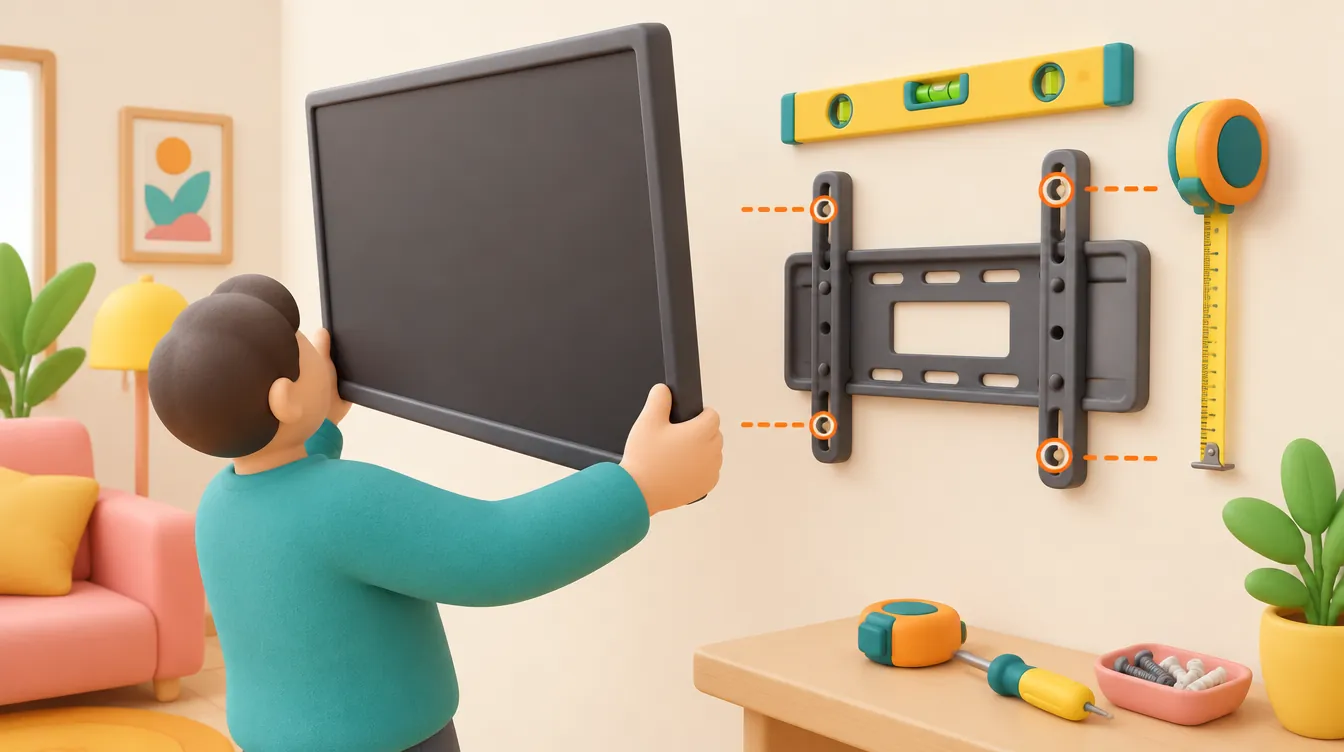
Never Buy a Mount by Diagonal Screen Size Alone
A discounted bracket labeled "fits 42–85 inch TVs" only guarantees rough rail span—not safe mechanical fit. Before clicking buy, verify your TV's exact model number against four non-negotiable specs: VESA hole spacing, weight without the stand, M4/M6/M8 screw length and recess depth, and wall stud spacing.
- Top Pick (Best Overall Tilt & Fit Range): Sanus VLT7-B2 Advanced Tilt 4D — Supports 42"–90" TVs up to 150 lbs, VESA 200×200 to 600×400 mm, and 6.8" of forward extension for tight cable access.
- Runner-Up (Best Full-Motion Articulating Mount): Echogear EGLF2 Full-Motion — Handles 42"–90" displays up to 125 lbs with 24" of extension, built-in post-install leveling, and an unusually complete M4/M6/M8 spacer kit.
- Who Should Buy a New Bracket Now: Shoppers upgrading to a 65"+ OLED or Mini-LED panel whose old mount lacks UL 2442 load margin, 24" stud-span rails, or long M8 hardware for recessed rear housings.
- Who Should Skip Discounted Bundles: Buyers with metal-stud walls, plaster-over-lath construction, or proprietary non-VESA TV backs (such as Samsung One Connect zero-gap frames) that require model-specific adapters or professional anchoring.
Top Compatible TV Wall Mounts Compared
| Mount Model | VESA Range (mm) | Max Load & TV Size | Steel & Profile Specs | Best Use Case | Retailer & Price |
|---|---|---|---|---|---|
| Sanus VLT7-B2 | 200×200 to 600×400 | 150 lbs / 42"–90" | Heavy-gauge cold-rolled steel; 2.15"–6.8" depth; 16"–24" stud wall plate | Large living room TVs needing easy rear port access without full-motion sag | Best Buy: ~$149.99 Deal (vs. $189.99 MSRP) |
| Echogear EGLF2 | 200×200 to 600×400 | 125 lbs / 42"–90" | Dual-arm powder-coated steel; 2.5"–24" extension; ±15° tilt / ±53° swivel | Corner seating, wide rooms, and off-center stud layouts | Check Live Price on Amazon |
| Sanus VLF728-B2 | 200×200 to 600×400 | 125 lbs / 42"–90" | FluidMotion dual steel arms; 2.15"–28" extension; integrated cable channels | High-end OLEDs requiring smooth, zero-drift single-finger articulation | Check Live Price on Amazon |
| Mounting Dream MD2268-LK | 200×100 to 800×400 | 132 lbs / 42"–86" | 1-piece 33.4" wide steel wall plate; 1.5" slim tilt profile; 16"/18"/24" studs | Budget-conscious flat installations and wide 800×400 mm legacy plasmas/LCDs | Check Live Price on Amazon |
| Rocketfish RF-HTVMM170C | 100×100 to 600×400 | 100 lbs / 40"–75" | Dual articulating arms; 2.7"–20" extension; tool-free tilt knobs | Mid-sized 55"–65" LEDs in bedrooms or dens needing quick local pickup | Best Buy: ~$119.99 Deal (vs. $169.99 MSRP) |
Interactive TV Wall Mount Compatibility Checker
Enter your television's specifications (found on the rear rating label and manufacturer spec sheet) alongside your target bracket's documentation to catch VESA, weight, screw-depth, and stud-spacing conflicts before purchasing.
TV-to-Bracket Compatibility & Hardware Pre-Check
Verify load safety margin, VESA rail coverage, wall framing, and Sony/SANUS hardware exceptions.
Core TV Wall Mount Compatibility Rules Every Shopper Must Check
Screen size alone never establishes TV wall mount compatibility. Retailers routinely market discounted brackets using broad diagonal ranges such as "fits 37 to 80 inch TVs," yet modern thin-bezel 65-inch OLEDs can share a 300×200 mm bolt pattern with a 48-inch set while weighing 25 pounds less than an older 60-inch LCD. A heavy 75-inch Mini-LED panel might weigh 88 pounds without its tabletop stand and require a 400×400 mm or 600×400 mm pattern. Relying on diagonal screen inches instead of mechanical specifications is the fastest way to wind up with an unusable bracket during a weekend installation.
Before purchasing any discounted mount, pull the complete model number from your television's rear serial sticker, retail invoice, or manufacturer support page, and pair it with the exact model number of the bracket. According to the SANUS MountFinder, entering the full television model number is the most accurate way to verify fit—and SANUS explicitly warns that lookup results generated without an exact model number may be less reliable. Treat compatibility tools as a first-pass filter, then cross-check the television's specification sheet against the bracket's downloadable installation PDF before opening any packaging.
Four specific data points settle whether a mount will safely hold your display:
| Check | Information Needed | Where to Confirm |
|---|---|---|
| Mounting pattern | Hole spacing (horizontal × vertical mm) and arrangement | Television documentation |
| Load | TV weight (without stand) and bracket rating | Both product specifications |
| Hardware | Required screws, spacers, and adapters | Model-specific instructions |
| Wall | Supported construction and attachment method | Mount manual and installer |
Sony's compatibility guide reinforces why surface-level checks fail. Sony lists both VESA hole patterns and television weight without the stand—the only weight figure relevant to wall mounting—and specifically cautions that matching hole spacing alone does not guarantee matching screw-hole depth or screw count. Certain televisions feature recessed lower bays, angled rear housings, or asymmetric mounting bosses where the upper holes accept a shorter bolt than the lower holes. Driving an over-long M6 or M8 screw into a shallow boss can crack internal circuit boards or puncture the LCD/OLED panel from behind, instantly voiding your warranty.
If a retailer's sale page disagrees with the manufacturer's PDF manual—for example, a product listing claims 600×400 mm support while the manual caps at 400×400 mm—contact the mount maker before ordering. Never improvise with mismatched hardware from a junk drawer or skip washers because screw holes look close enough. When structural questions arise, Sony's wall-mount FAQ explicitly recommends hiring a qualified professional installer. If you are actively comparing TV deals, write down the mounting requirements alongside the sale price so a steep screen discount does not get wiped out by an incompatible existing bracket or unexpected installation fees.
How We Evaluated & Selected Brackets for Real-World Compatibility
To separate dependable mounting hardware from flimsy sale-bin steel, we audited bracket specifications against strict mechanical and documentation standards rather than promotional claims. Every candidate bracket had to publish verifiable UL 2442 load-testing documentation, complete VESA FDMI (Flat Display Mounting Interface) dimensional drawings, and full hardware inventory lists prior to purchase.
Our spec screening enforced five non-negotiable engineering thresholds:
- UL 2442 Safety Factor Compliance: Under UL 2442 standards, wall mounts must withstand four times their rated load without structural failure. We eliminated generic marketplace brackets lacking verifiable UL or equivalent independent safety certification, as uncertified arms frequently deflect at the tilt knuckle once loaded above 60 pounds.
- Cold-Rolled Steel Gauge & Wall Plate Span: A bracket supporting 65-inch to 85-inch screens needs a wall plate wide enough to hit two vertical studs—meaning at least 18 inches wide for standard 16-inch on-center framing, and 26 to 34 inches wide for 24-inch stud spacing common in garages, basements, and newer tract construction.
- Complete Metric Hardware Kits (M4, M6, M8): Modern televisions almost universally use M6 or M8 machine screws (with M4 reserved for smaller 32-inch sets), yet recessed rear panels frequently demand 35 mm to 45 mm bolt lengths paired with 10 mm to 20 mm nylon spacers. Brackets shipping with only short 15 mm bolts fail out of the box on stepped Sony, LG, and Samsung housings.
- Post-Installation Leveling & Lateral Shift: Even careful DIYers miss stud centerlines by half an inch or drill slightly out of plumb. We prioritized wall plates with slotted lateral shift (allowing the TV to slide left or right along the rail to center over a console) and post-install leveling screws (±3° to ±5°).
- Motion Match & Cable Clearance: Choosing the right movement class matters as much as raw fit. Paying extra for an articulating arm you never swivel adds wall protrusion and cost, while buying an ultra-slim fixed mount with only 0.7 inches of wall clearance can crush stiff HDMI 2.1 cables or block side-facing optical ports. Check furniture clearance, adjacent doorway swings, and rear-port orientation before settling on fixed, tilting, or full-motion hardware.
In-Depth Bracket Reviews: Proven Mounts Across Major Spec Tiers
1. Sanus VLT7-B2 Advanced Tilt 4D — Best Overall for Large Living Room TVs
The Sanus VLT7-B2 solves the single biggest headache of traditional tilting brackets: reaching HDMI ports after the screen is hung. Built from heavy-gauge powder-coated steel, this bracket handles displays from 42 to 90 inches weighing up to 150 pounds, spanning VESA patterns from 200×200 mm through 600×400 mm. Unlike standard tilt mounts that trap your hands behind a 2-inch gap, its scissor-style "4D" hinge extends the television 6.8 inches off the wall before collapsing back to a trim 2.15-inch resting profile.
Beyond horizontal port access, the VLT7-B2 includes up to 15 degrees of swivel left or right on most 65-inch and smaller TVs, plus 7 degrees up and 12 degrees down tilt using Sanus's Virtual Axis fingertip mechanism. That makes it ideal for mounting above eye level over a console or fireplace without needing tools to adjust glare. Its open wall plate spans both 16-inch and 24-inch wood studs with generous lateral slide slots, and the box ships with labeled bags of M4, M6, and M8 fasteners alongside thick spacers and concrete anchors.
Honest Drawbacks & Dealbreakers: At roughly $150 on sale ($189.99 MSRP at Best Buy), it costs nearly triple what a basic static tilt frame runs. Additionally, its 6.8-inch extension is not a substitute for a true full-motion arm if your seating sits at a sharp 45-degree angle to the wall, and the maximum 600×400 mm VESA span excludes rare legacy 800×400 mm displays.
2. Echogear EGLF2 Full-Motion — Best Articulating Mount for Corners & Wide Rooms
When a room layout forces your television into a corner or across an open-concept dining area, the Echogear EGLF2 delivers 24 inches of smooth dual-arm extension without the premium price tag of flagship boutique mounts. Rated for 42-inch to 90-inch TVs up to 125 pounds across VESA 200×200 to 600×400 mm, the EGLF2 relies on twin articulating steel arms anchored to a broad wall plate capable of spanning 16-inch and 24-inch studs.
Echogear's standout detail is hardware completeness and installation ergonomics. The kit includes an oversized drilling template, heavy 5/16-inch lag bolts, and one of the most comprehensive arrays of M4, M6, and M8 bolts and stacked spacers on the market—critical when adapting curved or uneven rear television housings. Once hung, ±3 degrees of post-install leveling and ±15 degrees of tool-free tilt make dialing in screen alignment straightforward, while swivel reaches up to ±53 degrees depending on panel width.
Honest Drawbacks & Dealbreakers: At 2.5 inches compressed, it sits slightly thicker against the wall than ultra-slim tilt brackets, and the dual-arm assembly itself weighs over 28 pounds out of the box—requiring two people to hold the wall plate level while driving lag bolts. If your TV exceeds 75 inches wide, swivel angle drops significantly before the screen edge contacts drywall.
3. Sanus VLF728-B2 Full-Motion — Best Premium Option for Thin OLED Panels
Ultra-thin OLED televisions such as LG's C-series and G-series or Sony's Bravia XR panels concentrate most of their mass in the lower third of the chassis, making cheap articulating arms feel stiff, jerky, or prone to forward droop. The Sanus VLF728-B2 addresses that directly with its FluidMotion linkage and Steadyset locking design, supporting 42-inch to 90-inch screens up to 125 pounds across VESA 200×200 to 600×400 mm patterns.
With 28 inches of outward extension and a 2.15-inch collapsed depth, the VLF728-B2 provides 4 extra inches of reach over the Echogear EGLF2—enough to swing a 77-inch television noticeably further off the wall toward angled seating. In-arm plastic cable channels conceal thick braided HDMI 2.1 and power cords cleanly along the steel struts so cables do not pinch when pushing the screen flush. It also covers 16-inch and 24-inch stud spacing with ample horizontal shift.
Honest Drawbacks & Dealbreakers: You pay a steep premium for the FluidMotion bearings, routinely pushing street prices double those of mid-tier articulating brackets. Furthermore, like all long-arm mounts, extending a 75-to-90-pound TV 28 inches out puts immense cantilever shear stress on wall fasteners—making precise center-of-stud lag placement mandatory.
4. Mounting Dream MD2268-LK — Best Budget Tilt & Wide-VESA Specialist
Shoppers who simply want their television flat against the wall with minimal glare—and zero interest in paying for unused swivel arms—get exceptional structural value from the Mounting Dream MD2268-LK. Priced aggressively on Amazon while maintaining UL load testing, this fixed-tilt bracket holds 42-inch to 86-inch sets up to 132 pounds and distinguishes itself by supporting wide 800×400 mm VESA patterns down to 200×100 mm.
Its 33.4-inch single-piece cold-rolled steel wall plate natively spans 16-inch, 18-inch, and 24-inch stud intervals without requiring extension wings. Because it sits just 1.5 inches from the wall with up to 8 degrees of downward tilt, it keeps large screens looking architectural rather than protruding into walkways. Mounting Dream includes a bubble level, Allen wrench, pulling straps to release the bottom spring latches, and standard M4/M6/M8 bolts.
Honest Drawbacks & Dealbreakers: That 1.5-inch low profile leaves almost zero room for bulky right-angle power cords or straight-back HDMI plugs unless you install a recessed wall media box behind the display. Moreover, if your rear TV inputs face straight backward rather than sideways, plugging in a new streaming stick or game console later means lifting the entire television off the wall plate.
5. Rocketfish RF-HTVMM170C — Best Local Same-Day Full-Motion Pick
When you are bringing home a new 55-inch or 65-inch TV on Black Friday or Cyber Monday and need a verified mount the same afternoon, Best Buy's Rocketfish RF-HTVMM170C offers dependable local availability and frequent seasonal discounts down to ~$119.99 (vs. $169.99 MSRP). It accommodates 40-inch to 75-inch screens up to 100 pounds across VESA 100×100 to 600×400 mm patterns, extending up to 20 inches off the wall and collapsing to 2.7 inches.
Its tool-free tilt mechanism (+5° up / -15° down) locks securely without hunting for an Allen key, and the dual-arm frame includes post-installation roll leveling and basic cable clips. For mid-weight 45-to-65-pound LED and OLED screens mounted onto standard 16-inch studs, its build stiffness punches cleanly above generic online bargain brands.
Honest Drawbacks & Dealbreakers: Its 100-pound weight cap and 75-inch ceiling leave less safety headroom for heavy 77-inch or 85-inch Mini-LED sets compared to Sanus or Echogear. Check stud spacing carefully as well, since its wall plate requires additional care if your home uses 24-inch stud centers rather than standard 16-inch framing.
What to Avoid: Discount Traps, Compatibility Myths, and Hidden Costs
Deeply discounted brackets and "TV + Mount" holiday bundles frequently hide mechanical compromises that turn a $25 bargain into a safety hazard or a weekend return trip. Watch out for these four specific traps:
- Inflated "MSRP" Anchoring on Generic Single-Stud Arms: Unknown online brands often mark a $39 single-stud articulating mount as "75% off $159.99 MSRP" and claim support for 70-inch or 80-inch TVs. Single-stud full-motion arms concentrate the entire cantilevered torque onto two vertical lag bolts in one 2×4 stud; on anything larger or heavier than a 43-inch/40-pound TV, stud twist, drywall crushing, and sag are common. Stick to dual-stud wall plates for displays 50 inches and above.
- Reusing an Old Mount Without Identifying Its Model: Do not assume an existing wall bracket can stay up simply because your replacement television shares the same diagonal size as the old one. Recover the existing mount's model number and spec sheet first. Even if the VESA pattern matches, an older mount rated for 60 pounds may fall short of a heavy Mini-LED panel, or its original M6 screws may be too short for your new set. If the bracket's identity, fastener integrity, or stud anchoring is unclear, have a qualified installer inspect it before hanging a new screen.
- Ignoring Non-Standard Hardware & Wall Costs in Your Deal Budget: A cheap bracket is not a saving if you have to spend $25 on specialty M8×45 mm machine screws, masonry anchors, or a recessed cable plate—or if a metal-stud wall requires professional toggle-bolt anchoring. Use our holiday shopping checklist to tally the television, verified mount, extra-long braided HDMI cables, and installation quotes together before checkout.
- Buying Unverified TV + Mount Bundles: Retailers occasionally bundle clearance flat brackets with flagship televisions. Before purchasing a bundle, verify the exact model number of the included mount, confirm it supports your wall type and desired viewing angle, and ask specifically what any bundled "installation" service covers—because a promotional package photo does not establish that wire concealment, masonry drilling, or custom spacers are included.
Frequently Asked Questions (FAQ)
Does matching the VESA pattern guarantee compatibility?
No, matching the VESA mounting-hole spacing answers only part of the TV wall mount compatibility question. As Sony notes in its official support documentation, identical hole spacing does not guarantee matching screw-hole depth or thread count across every television model, and the bracket's load rating must exceed the TV's weight without the stand. Always confirm required screw lengths, spacers, and wall construction in both the television and mount manuals, and contact the manufacturer or a qualified installer to resolve any discrepancy.
Can I reuse the mount from my previous television?
Possibly, but you must identify the exact model number of the existing bracket and verify its load rating, VESA range, and hardware kit against your replacement television's specifications first. Never infer compatibility solely from the old TV's screen size or brand, because newer televisions often shift VESA locations downward or require longer M6/M8 bolts for stepped backs. Have the mount's mechanical condition and wall attachment inspected by a professional if you cannot confirm what model is on your wall.
Should I buy the television and mount as a bundle?
A bundle is only worth buying after you confirm the included mount's exact model number, VESA support, weight capacity, and movement style suit your room and wall framing. Compare the bundle price against purchasing the television and a verified standalone bracket separately, and read the fine print on any included installation. A promotional bundle image does not guarantee that hardware adapters, metal-stud or masonry anchors, or in-wall cable routing are part of the package.